Where to find it
Command Center → Operations → Receiving & purchase orders.
How it works
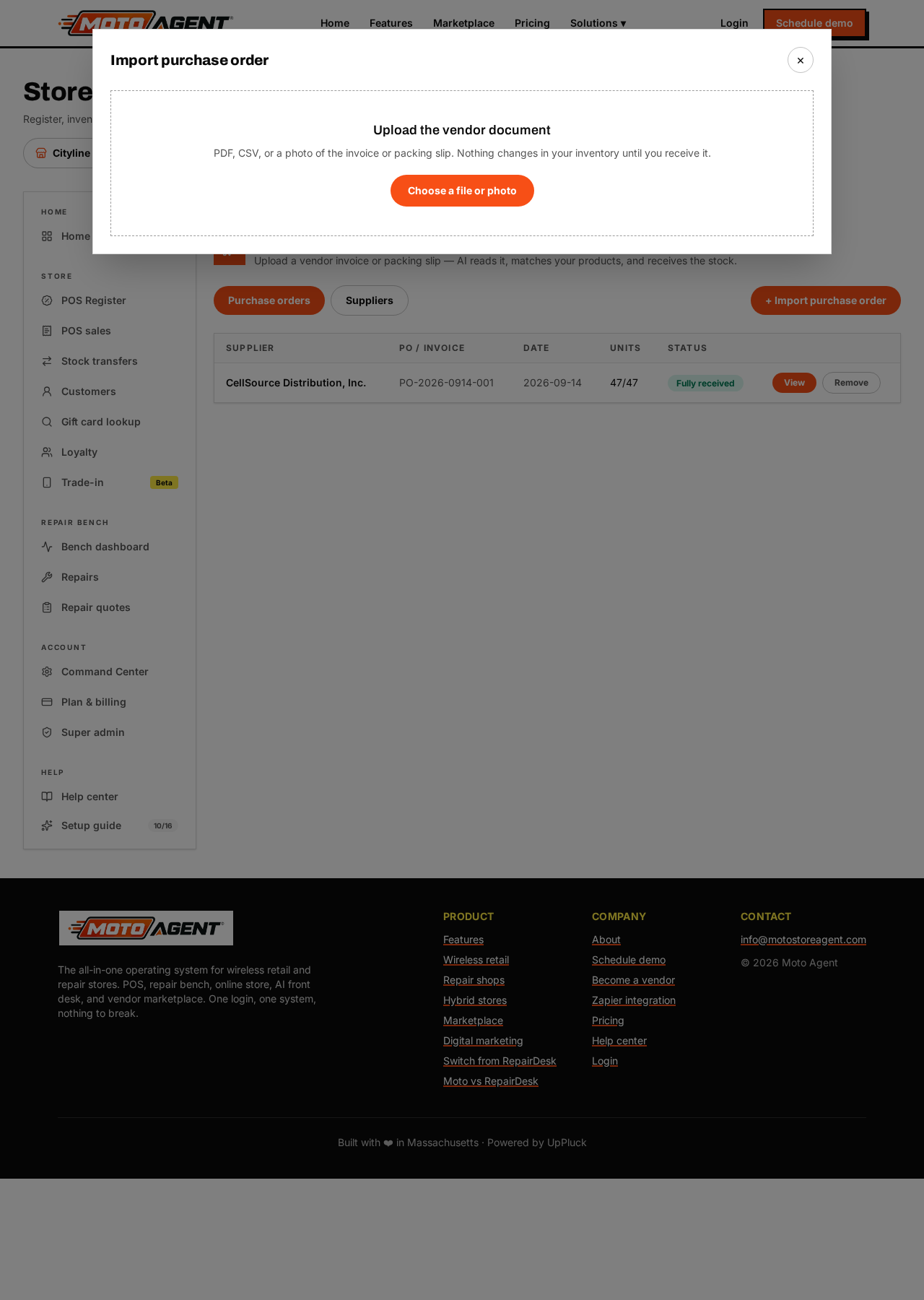
- Tap Import purchase order and choose a PDF, CSV, photo or scan of the vendor document.
- Moto reads the supplier, PO or invoice number, date and every line item — SKU, barcode, name, quantity, unit cost, brand, model, color and size.
- Each line is matched against your products by SKU, then barcode, then supplier SKU, then name. You see Matched, Possible match or New product on every row. Nothing is merged automatically when the match is uncertain.
- Confirm the header details and tap Continue to receiving. Your inventory has still not changed.
The receiving screen
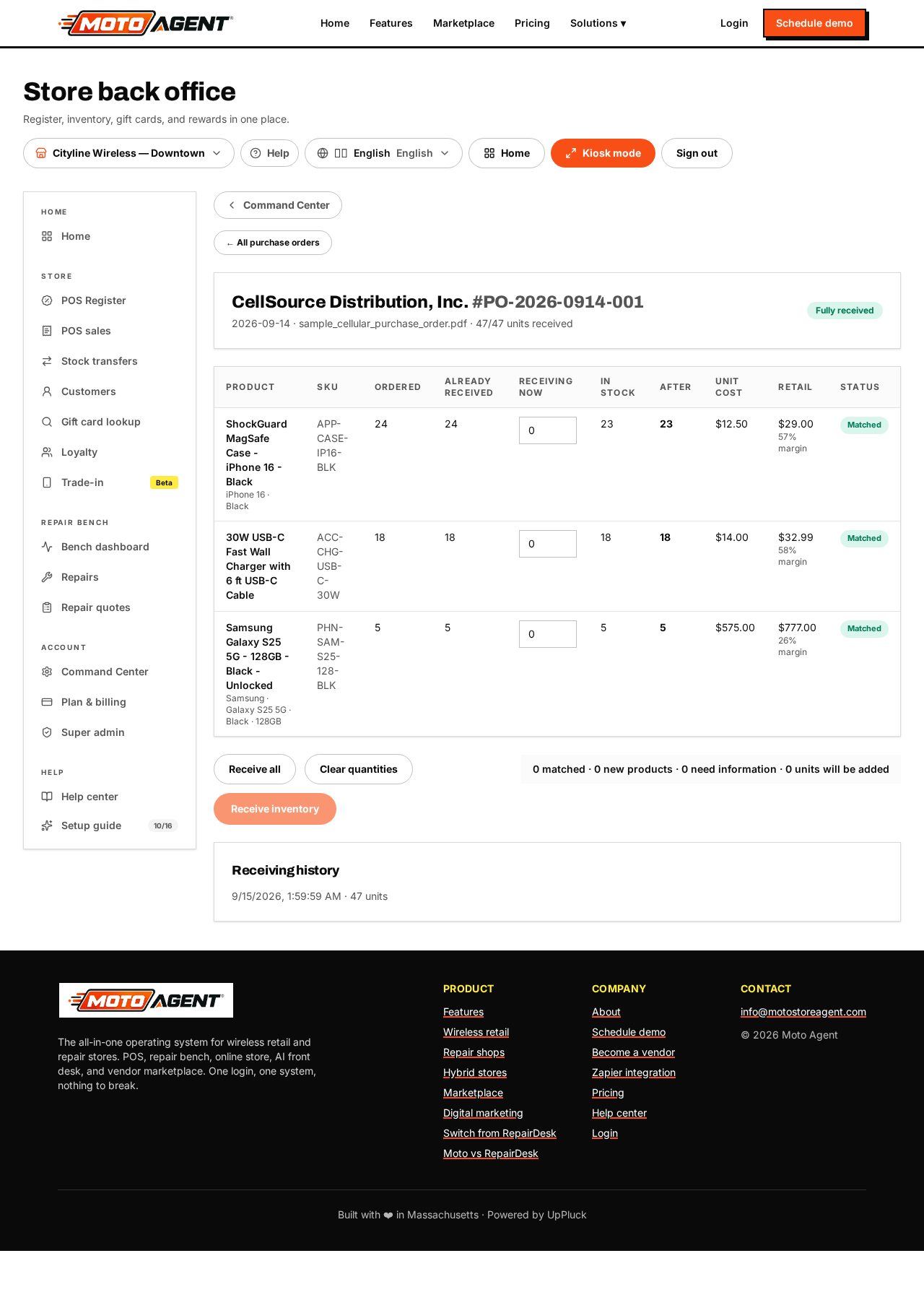
For every line you see the ordered quantity, what was already received, what you are receiving now, current stock, stock after receiving, unit cost and retail price.
- Change Receiving now on any line — a PO may say 20 while only 15 arrived.
- Receive all fills in everything still outstanding; Clear quantities resets to zero.
- New products ask for a retail price and category before they can be added. We never invent a value that is not on the document.
- When the cost changed, the old cost is shown with an Update cost checkbox. Retail prices are never changed automatically.
The summary bar shows how many products matched, how many will be created, how many still need information and how many units will be added. Tap Receive inventory to apply it.
Partial deliveries
Receive what arrived today and the order stays Partially received with the remainder outstanding. Open the same purchase order again when the rest arrives; it flips to Fully received on its own.
Audit trail
Every receiving writes a record of the purchase order, supplier, product, quantity, previous and new stock, unit cost, who received it and when. Duplicate documents are detected by supplier plus PO or invoice number, and by the document itself, and you are warned before importing twice.
Plan
Reading documents with AI is part of Growth. Receiving and purchase orders themselves are available on every plan.